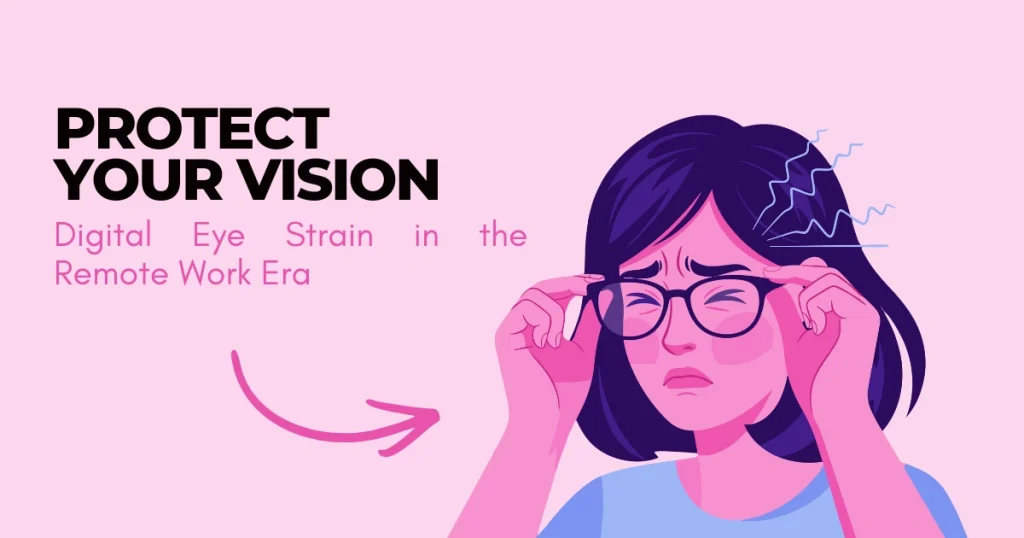
Digital Eye Strain in the Remote Work Era: How to Protect Your Vision
The shift to remote and hybrid work has fundamentally altered our relationship with digital interfaces. In 2025, approximately 75% of employed adults work from home at least part of the time. While this shift offers flexibility, it has introduced an insidious occupational hazard: a massive increase in unmanaged screen time.
We have traded conference rooms for Zoom grids and commutes for slack notifications. The result is a surge in “Computer Vision Syndrome” (CVS), also known as Digital Eye Strain (DES). This isn’t just about tired eyes; it is a physiological response to demands that exceed the visual system’s capabilities.
This article dissects the biology of eye strain, separates marketing myths from medical facts regarding blue light, and provides a clinically backed protocol for protecting your vision in a digital-first world.
Part 1: The Physiology of “Zoom Fatigue” [Protect Your Vision]
Why does looking at a screen feel different than looking at a book? The answer lies in how the human eye functions mechanically versus how digital pixels behave.
The Blink Rate Reduction
The most significant factor in digital eye strain is a dramatic change in blink behavior.
- Normal Blink Rate: In a relaxed state, humans blink approximately 15–20 times per minute. This action spreads fresh tears across the cornea, nourishing it with oxygen and nutrients while washing away debris.
- Screen Blink Rate: Research shows that when staring at a digital device, our blink rate drops by up to 66%, often falling to just 5–7 times per minute.
Furthermore, the quality of the blink changes. We tend to perform “incomplete blinks” when focused on a screen, where the upper eyelid does not fully touch the lower eyelid. This leaves the bottom third of the cornea exposed to air, causing rapid tear evaporation and the gritty, “dry” sensation common after a long workday.
The Accommodation Lock
When you look at a distant object, the ciliary muscles in your eyes relax. When you look at something close (like a monitor), these muscles contract to change the shape of the lens—a process called accommodation.
Holding this contraction for 8–10 hours a day is akin to holding a bicep curl without releasing it. This leads to “accommodative spasm,” where the muscles lock up, causing blurred vision when you finally look away from the screen, as well as tension headaches radiating from the temples.
Part 2: The Blue Light Controversy (Myth vs. Fact) [Protect Your Vision]
If you have shopped for glasses recently, you have likely been pitched “blue light blocking” lenses. Marketing claims suggest that blue light from screens causes retinal damage or macular degeneration.
The Science:
According to the American Academy of Ophthalmology (AAO), there is no scientific evidence that blue light from digital devices causes damage to the eye.
- Intensity: The amount of blue light emitted by a laptop screen is a fraction of what you receive from the sun. If blue light were the primary cause of eye damage, walking outside would be far more dangerous than checking email.
- The Real Culprit: The discomfort you feel is likely Dry Eye (from lack of blinking) and Muscle Fatigue (from accommodation), not radiation damage from blue light.
However, Blue Light DOES Affect Sleep.
While it won’t blind you, blue light (wavelengths around 460-480nm) is excellent at suppressing melatonin, the sleep hormone. Using screens late at night tricks your circadian rhythm into thinking it is daytime.
- Verdict: Wear blue blockers at night to help you sleep, but don’t expect them to cure your eye strain during the day.
Part 3: The Ergonomics of Vision [Protect Your Vision]
Most remote workspaces are improvisational—kitchen tables, couches, or poorly set up desks. Poor ergonomics forces the eyes to work harder.
The Distance Rule
Your monitor should be roughly an arm’s length away (20–30 inches) from your face.
- Too Close: Your eyes must accommodate (strain) harder to focus.
- Too Far: You likely lean forward (turtling), wrecking your posture and neck alignment.
The Angle of Gaze
The top of your screen should be at or slightly below eye level.
Why? When you look down, your eyelids naturally lower slightly, covering more of the eye’s surface area. This reduces evaporation. If your screen is too high, your eyes must open wider to see it, accelerating tear film evaporation.
The Glare Factor
Glare creates “visual noise.” If there is a window behind you, it reflects off your screen. If there is a window in front of you, the contrast between the bright outdoors and your screen strains the iris.
- Best Setup: Position your desk so the window is to your side (perpendicular to the screen).
Part 4: The 20-20-20 Rule (and Why It Works) [Protect Your Vision]
The most effective treatment for Digital Eye Strain costs nothing. It is the 20-20-20 Rule, endorsed by the American Optometric Association.
Every 20 minutes, look at something 20 feet away for at least 20 seconds.
The Mechanism
Looking at a distance (20 feet or more) breaks the “accommodative lock.” It forces the ciliary muscles to fully relax.
- Tip: It takes about 20 seconds for the muscles to fully un-clench. A quick glance out the window isn’t enough; you must hold the gaze.
Part 5: A Clinical Protocol for Remote Workers [Protect Your Vision]
If you are suffering from chronic eye strain, “taking a break” is vague advice. Follow this specific protocol:
1. Artificial Tears (The Right Kind)
Because your blink rate is low, you need to supplement your tear film. Use preservative-free artificial tears.
- Avoid: “Redness relief” drops (vasoconstrictors). These shrink blood vessels to make eyes look white but actually dry them out further and cause rebound redness.
2. The “High-Contrast” Adjustment
Digital text is not solid; it is made of pixels that are brightest in the center and fuzzy at the edges. This makes it hard for the eyes to maintain focus.
- Action: Increase the contrast on your screen. Black text on a white background is the easiest for the eye to process. Avoid “Dark Mode” in bright rooms, as it can cause halation (fuzziness) around text, forcing the eyes to strain more.
3. Humidity Control
Air conditioning and heating systems strip moisture from the air, exacerbating dry eye.
- Action: Place a small desktop humidifier near your workspace to keep local humidity around 40–50%.
Conclusion
Digital Eye Strain is not an inevitable consequence of the remote work era; it is a sign of a mismatch between our biology and our environment. The human eye is resilient, but it was not evolved to stare at a light source at close range for 10 hours a day without blinking.
You do not need expensive “gamer glasses” or detox juices. You need to respect the mechanics of your eyes. By correcting your monitor position, enforcing the 20-20-20 rule, and manually ensuring you blink fully and often, you can maintain high performance in your digital career without sacrificing your vision. DrugsArea
Sources
1. The Physiology of “Blink Rate” Reduction
- The Claim: When staring at a digital device, our blink rate drops significantly (often by more than 50-60%), and we perform “incomplete blinks.”
- The Evidence: Research published in the National Library of Medicine (NIH) confirms that blink rates decrease during visual display terminal (VDT) use compared to relaxed states, leading to tear film instability.
- Source:NCBI / National Institutes of Health
2. Blue Light: Eye Damage vs. Sleep Disruption
- The Claim: There is no scientific evidence that blue light from digital screens causes physical damage (like macular degeneration) to the eye. However, it does disrupt circadian rhythms and sleep.
- The Evidence: The American Academy of Ophthalmology (AAO) explicitly states that blue light from screens is not blinding us and does not recommend special eyewear for eye protection, but acknowledges the impact on sleep cycles.
- Source:American Academy of Ophthalmology (AAO)
- Source:Harvard Medical School / Sleep Foundation
3. The 20-20-20 Rule & Computer Vision Syndrome
- The Claim: The “20-20-20 Rule” (Every 20 minutes, look 20 feet away for 20 seconds) is the primary clinical recommendation for alleviating strain.
- The Evidence: The American Optometric Association (AOA) defines Computer Vision Syndrome and lists the 20-20-20 rule as the standard non-medical intervention.
- Source:American Optometric Association (AOA)
4. General Overview & Symptoms
- The Claim: Digital Eye Strain is characterized by dry eyes, blurred vision, and headaches, largely due to ergonomic factors and muscle fatigue.
- Source:Cleveland Clinic
FAQs on protecting your vision, grounded in current ophthalmology and ergonomic science.
1. What exactly is Digital Eye Strain, and is it permanent?
The Science: DES is a collection of eye and vision-related problems resulting from prolonged computer, tablet, and cell phone use. Symptoms include eye fatigue, dryness, blurred vision, and headaches.
- Good News: It is generally temporary. The symptoms usually subside after you stop using the device.
- Warning: Long-term neglect can exacerbate underlying conditions or lead to chronic dry eye issues that are harder to treat.
2. Does the “20-20-20 Rule” actually work, or is it just a myth?
The Science: It is a clinically validated method to reset your eyes’ accommodation (focusing) system.
- How it works: Every 20 minutes, look at something 20 feet away for at least 20 seconds.
- Why it helps: Looking at screens locks your ciliary muscles (focusing muscles) in a “contracted” state. looking at a distance (optical infinity) forces these muscles to relax, preventing spasms that cause headaches and blurred vision.
3. Do I really need “Blue Light Blocking” glasses?
The Science: The American Academy of Ophthalmology (AAO) states there is no scientific evidence that blue light from digital screens damages the eyes or causes disease.
- The Real Issue: The strain you feel is likely due to decreased blink rate and focusing fatigue, not blue light itself.
- The Exception: Blue light does affect your circadian rhythm. Using blue blockers in the evening may help you sleep better, but they are not a “cure” for eye strain during the workday.
4. Why do my eyes feel so dry when working from home?
The Science: It comes down to “Blink Rate.” normally, humans blink about 15–20 times per minute. When staring at a screen, this drops to 5–7 times per minute.
- The Impact: Less blinking means the tear film on your cornea evaporates, causing grittiness and irritation.
- Remote Factor: Home HVAC systems are often drier than commercial office spaces, and without “water cooler chats,” remote workers tend to take fewer breaks, reducing blink opportunities.
5. Is “Dark Mode” better for my eyes?
The Science: It depends on your environment.
- When it helps: In low-light environments, Dark Mode reduces the overall brightness hitting your retina, which can be more comfortable.
- When it hurts: In a bright room, Dark Mode can cause “halation” (a halo effect around text), forcing your eyes to work harder to read.
- Verdict: Contrast matters more than mode. Ensure your screen brightness matches your room brightness.
6. What is the scientifically ideal monitor position?
The Science: Your eyes rest naturally when gazing slightly downward. This position covers more of the eyeball with the eyelid, reducing tear evaporation.
- Distance: Arm’s length away (about 25 inches).
- Height: The top of the screen should be at or slightly below eye level.
- Angle: Tilted slightly back (10–20 degrees) like an open book.
7. Can poor posture really affect my vision?
The Science: Yes, via the “Kinetic Chain.” Slouching or craning your neck (common when working from a couch or bed) restricts blood flow to the head and neck muscles.
- The Link: Tight neck and shoulder muscles can trigger tension headaches and refer pain to the eyes. A proper ergonomic chair is an eye-health tool.
8. Are there specific eye drops I should use?
The Science: Not all drops are created equal.
- Avoid: Drops that claim to “get the red out” (vasoconstrictors). These shrink blood vessels but can cause a “rebound effect,” making eyes redder over time.
- Use: Preservative-free artificial tears. These mimic natural tears and can be used as often as needed without toxicity to the corneal surface.
9. I have 20/20 vision. Do I still need “computer glasses”?
The Science: Potentially. Even with perfect distance vision, your eyes may struggle with “intermediate” focus (the distance to your screen).
- The Solution: An eye doctor can prescribe “computer progressives” or “occupational lenses” that are tuned specifically for the 20-to-26-inch range. This reduces the micro-fluctuations your eyes make trying to maintain focus.
10. How does lighting in my home office affect strain?
The Science: Glare is a major cause of visual noise.
- The Problem: Reflections on your screen force your brain to filter out image “noise,” increasing cognitive load and eye strain.
- The Fix: Never place your monitor directly in front of a window (backlighting causes shadowing) or directly opposite a window (causes glare). The window should be to your side.
Summary of Actionable Tactics
| Tactic | Frequency | Science-Based Goal |
| 20-20-20 Rule | Every 20 mins | Relaxes ciliary muscles |
| Artificial Tears | 3-4x daily | Restores tear film integrity |
| Monitor Position | One-time setup | Reduces evaporation & neck strain |
| Lighting | One-time setup | Eliminates glare/visual noise |